Drillhole validation, QAQC and export
The drillhole database a junior explorer can defend, running in your browser on files you own.
Drop in your Excel workbook, database export or lab certificates and Collar tells you what is wrong and how to fix it, holds the assays with their certificates, runs the QAQC and exports to your modelling package.
Buy once, use on every computer you control.US$990 one-off. No subscription, no per-seat fee.
What you use it for
Three jobs, one tool
Office validation
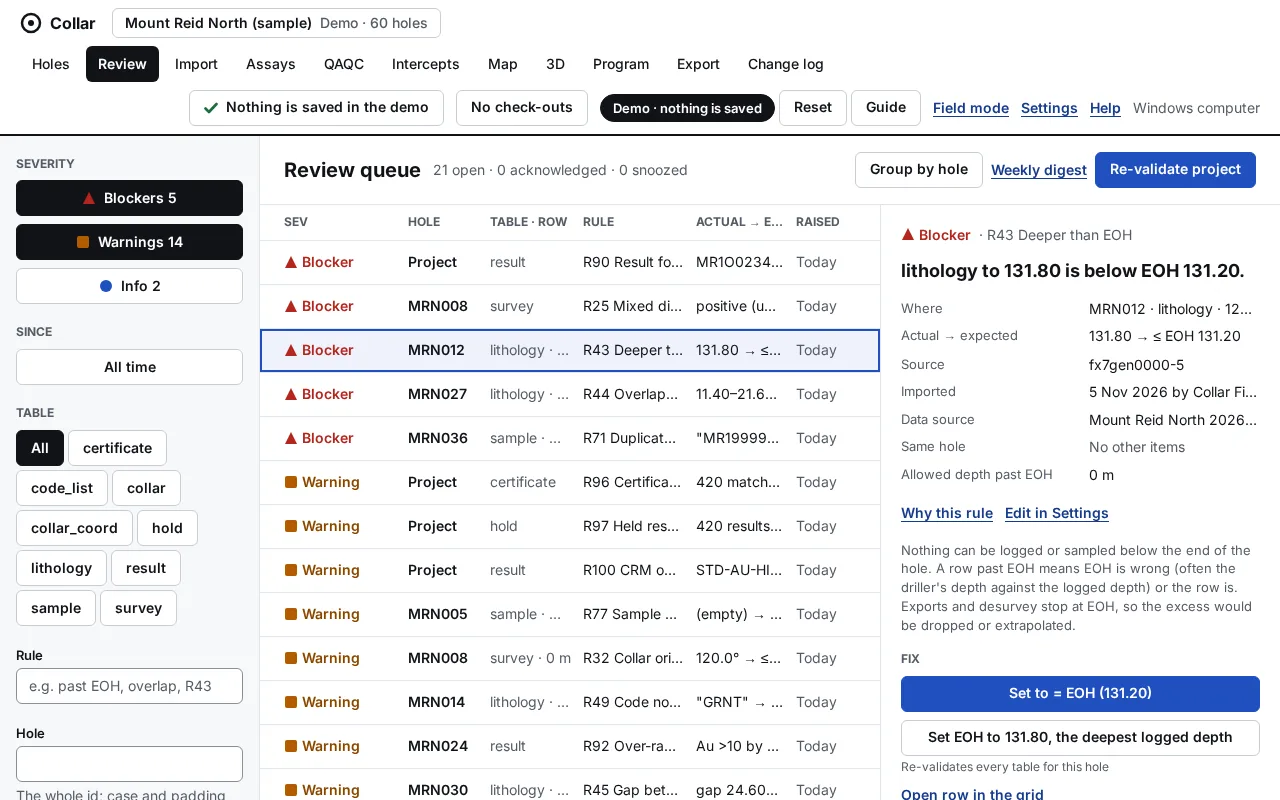
Errors found at the desk, not three months later in the model. Collar checks the raw files against a published rule set (R1 to R114) the moment you drop them in, and puts every finding in one review queue with the fix beside it.
- Overlapping intervals, gaps, duplicate holes, depths past end of hole, survey and collar faults.
- Imports Excel workbooks and exports from your existing drillhole database; asks one question where it has to.
- An append-only change log, so the database has an audit trail.
Field logging
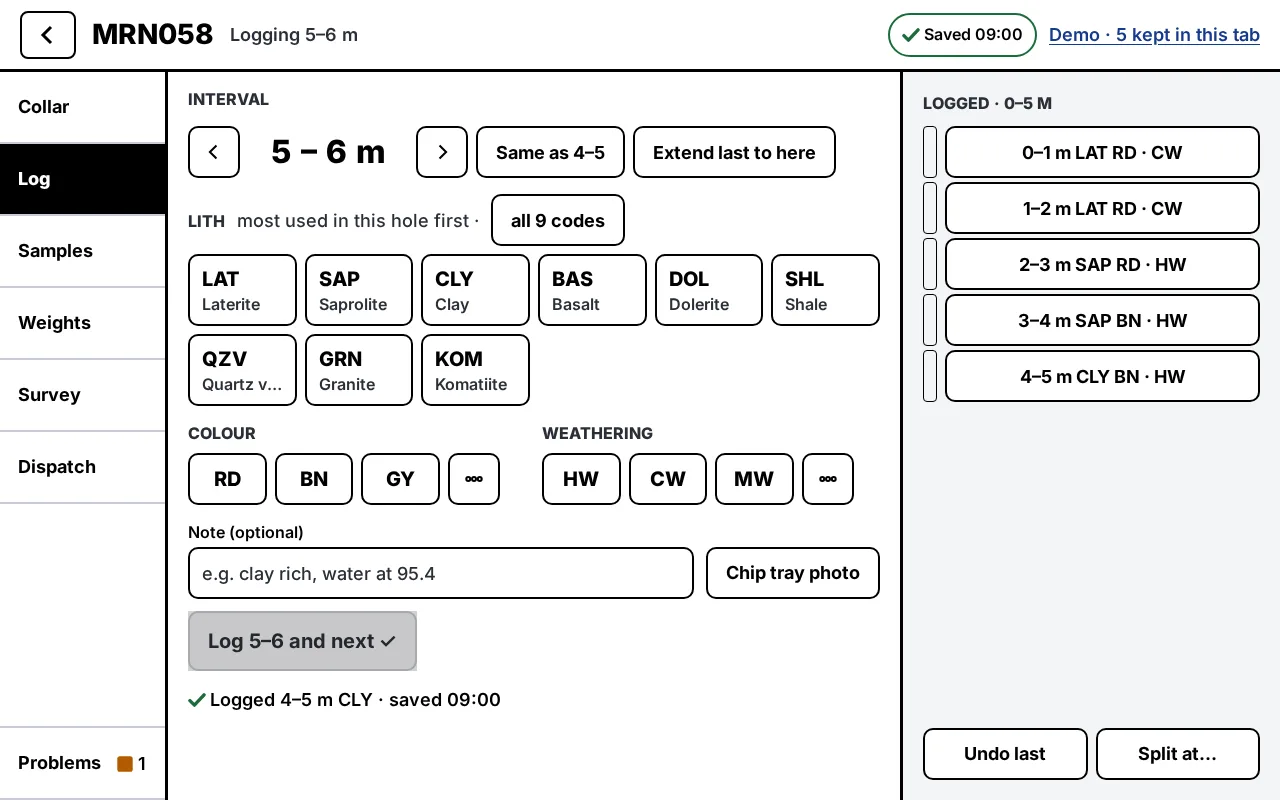
Log and sample at the core shed or the rig, offline. Field mode is built for sun, dust and gloves: large targets, high contrast, no hover tricks. Work lands in the same project folder and syncs when the tablet is back on Wi-Fi.
- Logging grid with entry-time validation, sample register and QC insertion.
- Runs on a Windows laptop or rugged Windows tablet, with no connection needed.
- Share a folder on OneDrive, SharePoint or Dropbox; check-outs stop two people editing one table at once.
QAQC and reporting
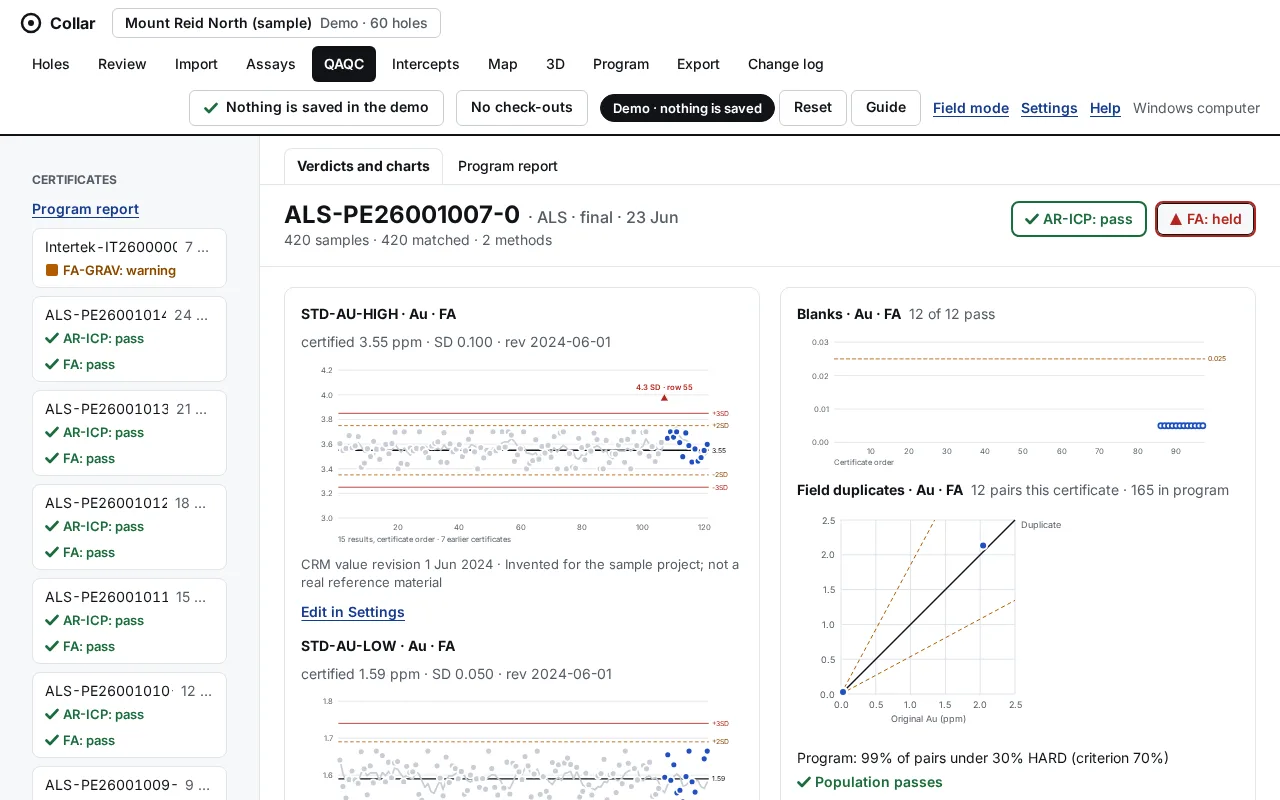
Import lab certificates, see failing standards, blanks and duplicates on one page, and hold a batch until it passes. Then composite the intercepts for the announcement and hand the modeller a clean export.
- Per-method verdicts, control charts, blank and duplicate checks, certificate hold and release.
- Intercept table, collar table and a validation report you can show an auditor.
- One-click exports for your modelling package.
Your data stays yours
Local-first. Everything runs in your browser. It works with the network unplugged.
No server. No accounts, no cloud database, and no product function sends a request.
Your files. A project is a folder of plain CSV and JSON. Back it up by copying it. Leave any time.
Try the demo
The demo is the same build as the product, on a bundled sample project with deliberate faults. It runs in memory and you can reset it. A short guide in the demo shows you where to look: the review queue and its fixes, a failing standard on a lab certificate, and the export.
Full editing needs Chrome or Edge on Windows or macOS; Firefox and Safari open projects read-only.